How to change Ordering Practitioner in LCSR
Print
Modified on: Mon, 16 Feb, 2026 at 2:38 PM
Follow these steps to change the Ordering Practitioner in LCSR:
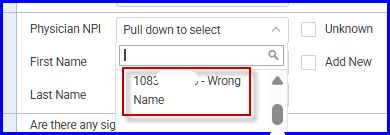
1. Select the NPI to be changed from the dropdown menu. It will be added to the form:
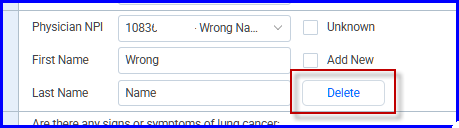
2. Click Delete:
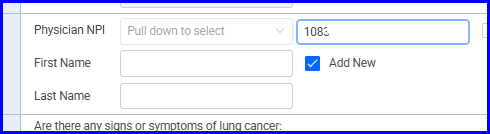
3. Click Add New. A field for the NPI will appear. Enter the NPI. It's not necessary to add first and last name. They will be pulled from the NPPES database:
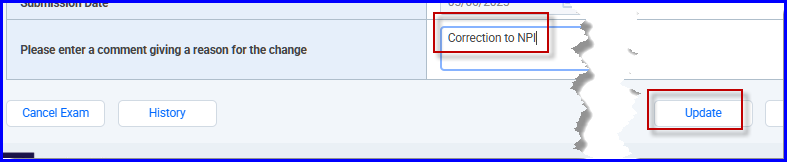
4. Enter something in the comment field at the bottom of the form. Then click Update: 
Did you find it helpful?
Yes
No
Send feedback Sorry we couldn't be helpful. Help us improve this article with your feedback.