LCSR Manual Entry: Exam Form
Print
Modified on: Fri, 10 Jul, 2026 at 6:24 PM
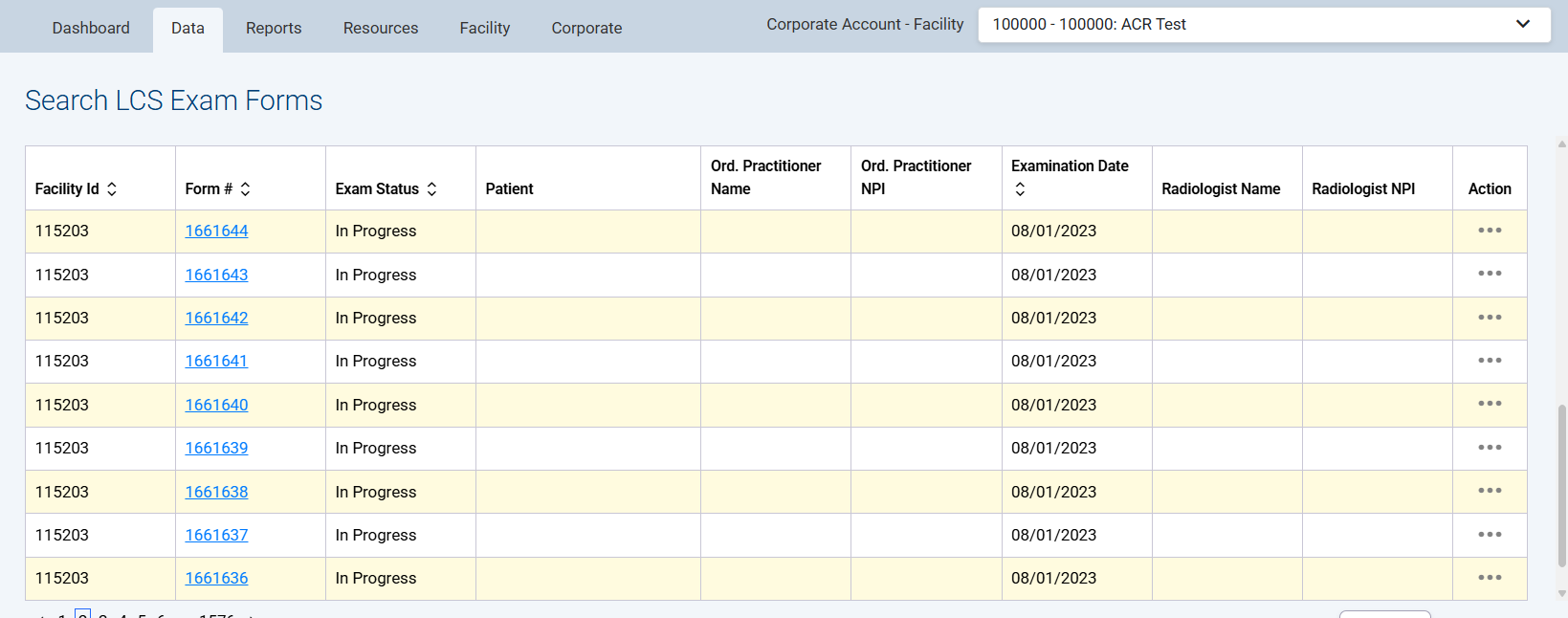
To edit a previously saved or submitted exam form, go to the NRDR dashboard, Data tab in the top navigation menu, click on LCSR & IPN > LCS Exam Forms. A table of exams will appear. You can either search for the form using specific information or select the exam directly from the table by scrolling up to view the list and clicking on the form number.
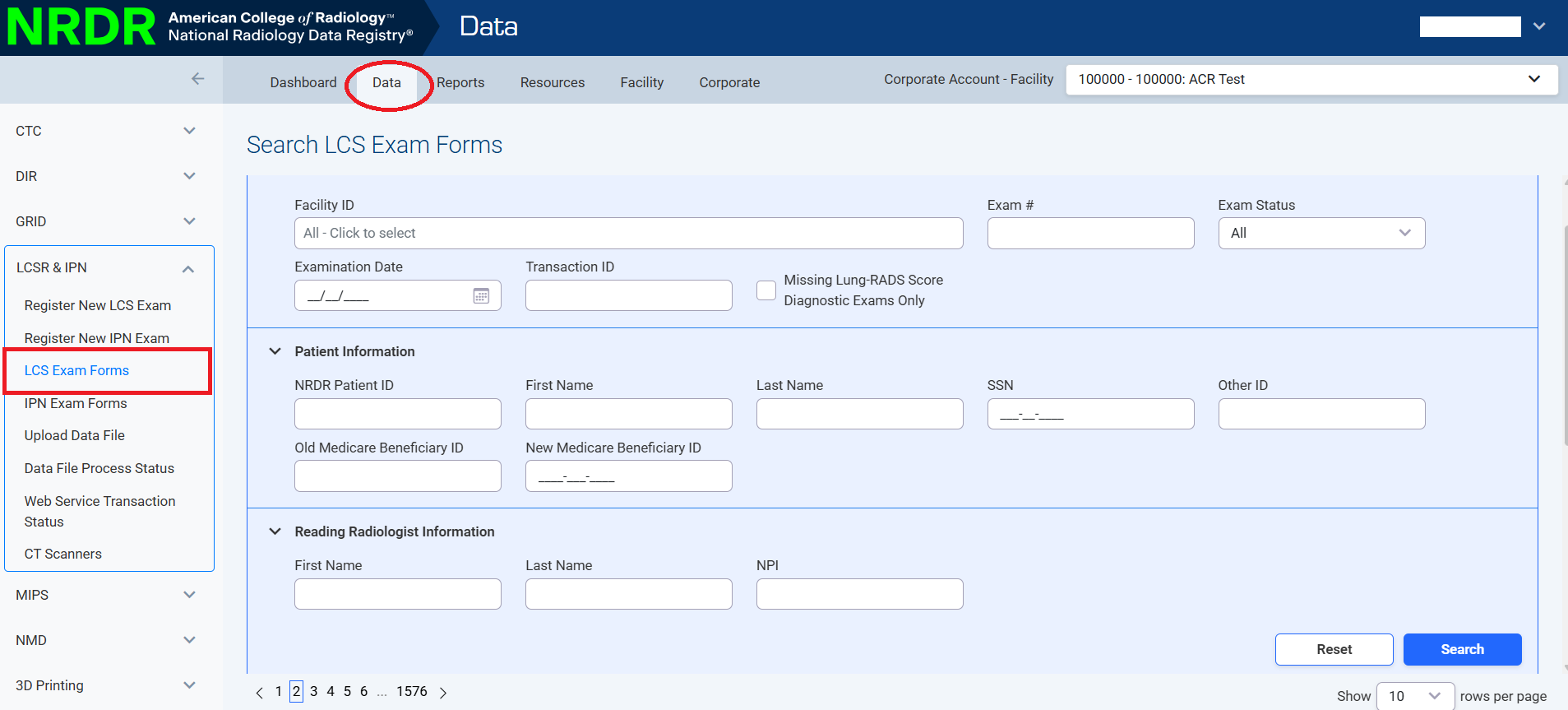
Enter your criteria, click Search and click on the desired form number.
Did you find it helpful?
Yes
No
Send feedback Sorry we couldn't be helpful. Help us improve this article with your feedback.


