Logo

ACR Support

Welcome
Login
Home Solutions Forums

How can we help you today?

New support ticket
Check ticket status
Solution home NRDR - Submitting Data Overview

How to Show Filename Extensions Print

Modified on: Wed, 15 Jul, 2026 at 10:57 AM


Note: These instructions are for MS Windows 11; there may be some differences in steps depending on your version of Windows.


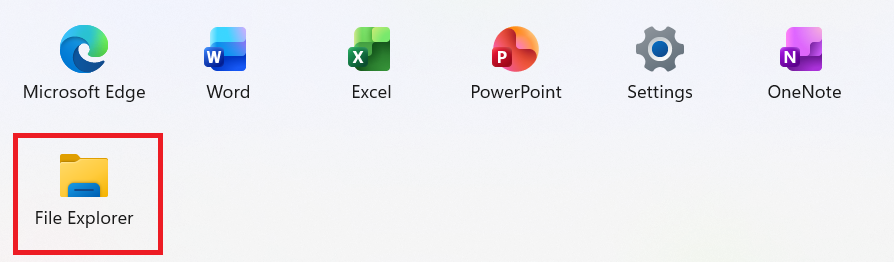
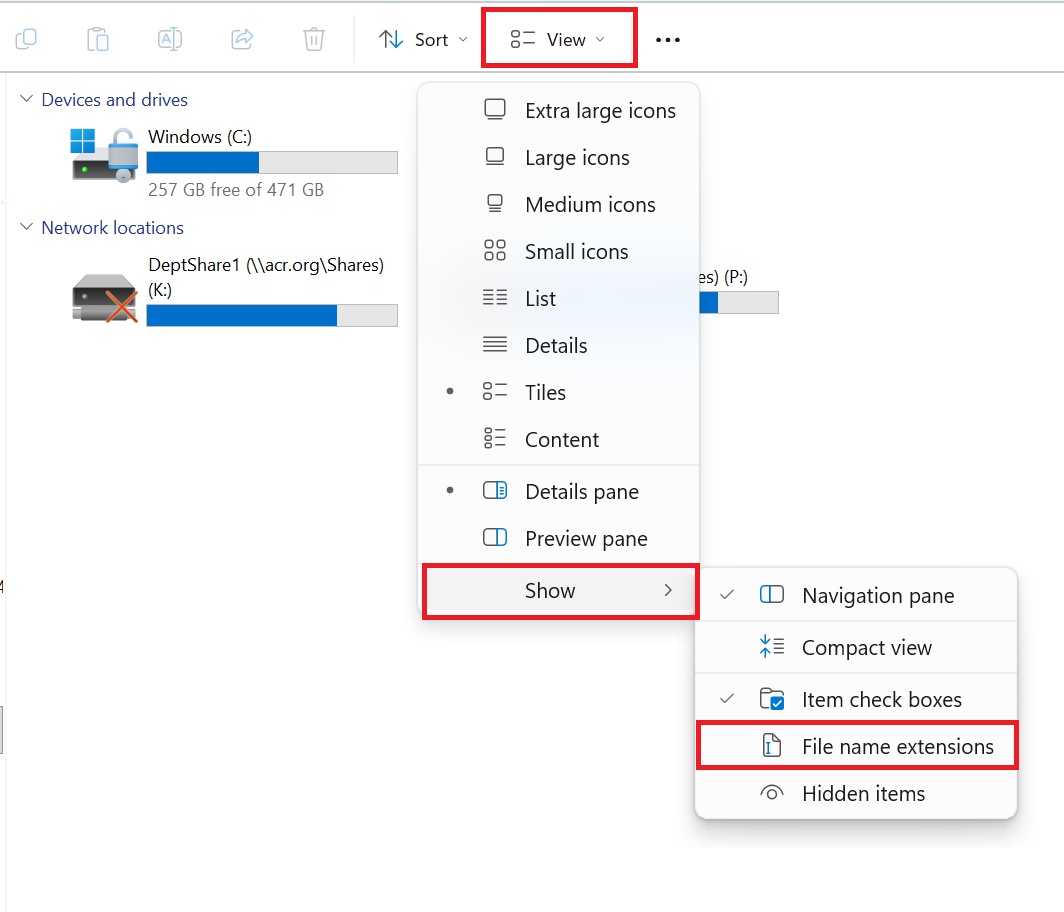
Open File Explorer. Select View > Show > File name extensions. File extensions such as .pdf, .docx, .xlsx, and .jpg will now be visible.


Previous: Convert an Excel File
to a .TXT File
Next: Configure Windows for
Data File Uploads


Did you find it helpful? Yes No

Send feedback
Sorry we couldn't be helpful. Help us improve this article with your feedback.

Related Articles

    Home Solutions Forums
    Article views count