The Accrual report shows the total number of exams that have been registered, cancelled, and completed at the user’s facility, as well as the number of exams in progress.
This report is available to all users.
To view the report, select the Reports tab then click LCSR & IPN from your list of registries on the left hand side.
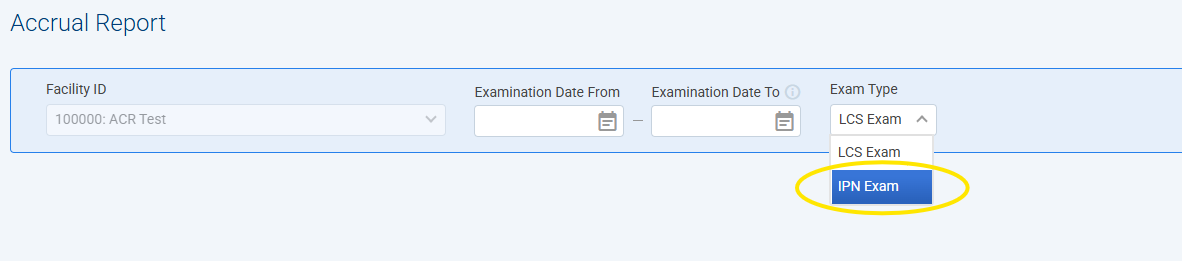
Please make sure to select "IPN Exam" from the Exam Type dropdown list before clicking Search.
The report will appear in a new web browser. See example below.
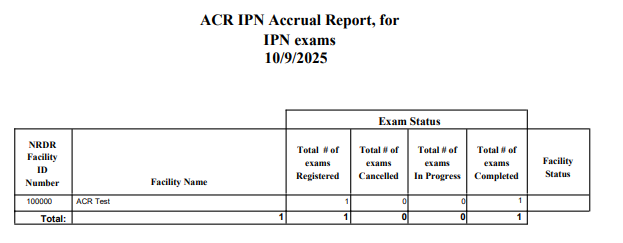
Note: The Facility Status field is not in use.
