IPN Exam Detail
Print
Modified on: Tue, 14 Jul, 2026 at 10:42 PM
The IPN Exam Detail report shows most data elements from each exam, with one row per exam. All users can view this report.
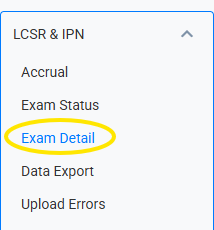
To generate the IPN Exam Report, click on the Reports tab at the top menu navigation, select LCSR & IPN from the left menu, and click Exam Detail.
Please make sure to select "IPN Exam" from the Exam Type dropdown list.

The IPN Number and IPN Name fields are automatically filled in and cannot be changed. You can narrow the list of exams that appear in the report by entering search criteria in any of the other fields shown. If you leave all fields blank the report includes all exams for your facility.
To run the report click Search. The report will appear in your Recent Downloads as an Excel spreadsheet.
Did you find it helpful?
Yes
No
Send feedback Sorry we couldn't be helpful. Help us improve this article with your feedback.
