
View all Tax Identification Numbers (TINs) and National Provider Identifiers (NPIs) associated with your NRDR account in a single report.
| Purpose Review the TINs and NPIs associated with your account. | Access Available from the NRDR Reports menu. | Export Download report data as needed. |
What You'll Find in This Report
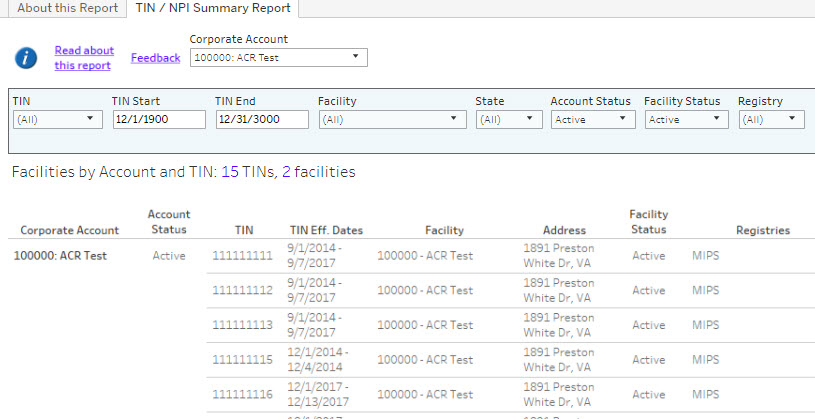
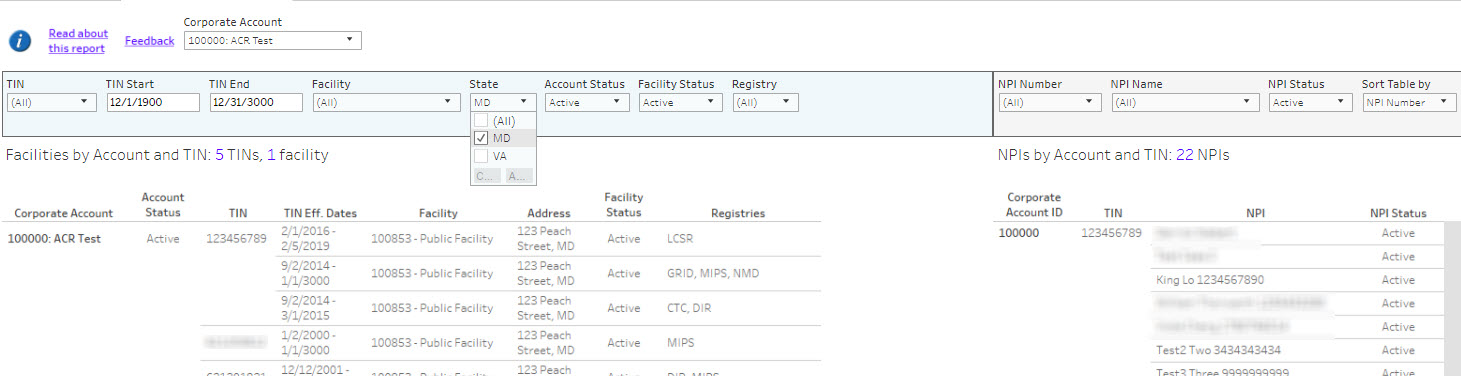
The TIN / NPI Summary Report provides a consolidated view of physician groups and providers associated with your NRDR participation. Use this report to:
- Review TIN and NPI information currently on file.
- Verify provider associations for your organization.
- Identify missing or incorrect provider records.
- Support registry participation and MIPS reporting activities.
Tip: Periodically review this report to ensure provider information remains accurate and up to date.
How to Access the Report
| Step 1 | Log in to the NRDR Portal. |
| Step 2 | Open the Reports menu. |
| Step 3 | Select TIN / NPI Summary Report. |
| Step 4 | Review or export the results. |
Understanding the Report
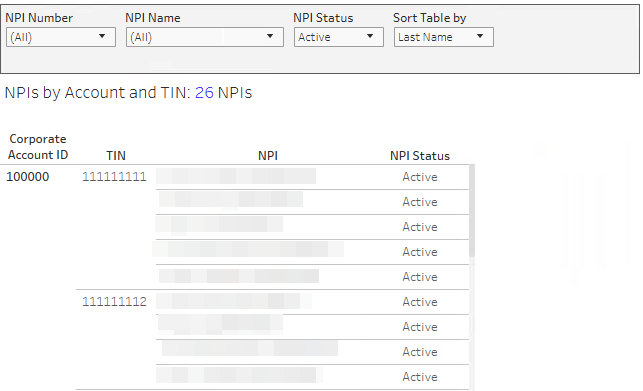
The report displays the TIN and NPI relationships associated with your account. Information may include:
- Tax Identification Number (TIN)
- National Provider Identifier (NPI)
- Physician or provider information
- Associated facility or organization details
- Registry participation information
Common Uses
| Need | How This Report Helps |
|---|---|
| Verify providers | Confirm NPI records are associated correctly. |
| Review group information | Validate TIN associations and participation data. |
| Troubleshooting | Identify missing or unexpected provider records. |
Need Help?
If the report is missing information or contains incorrect TIN or NPI data, contact NRDR Support for assistance.
Request Support
Request Support
